Web Performance Interview Pack: 25 Questions + Best Answers
High-signal web performance interview questions with crisp answers: Core Web Vitals, caching, rendering, images, fonts, JS cost, and debugging.
On this page
How to use this
For each question:
- 30-second answer → what you say first
- What the interviewer is testing → the hidden signal
- Follow-up → the next question they usually ask
- Common wrong answer → what candidates say when they don't understand
1) What are Core Web Vitals?
30-second answer: LCP (main content visible), INP (interaction responsiveness), CLS (layout stability).
What the interviewer is testing: Whether you can name CWV correctly and tie them to user experience.
Follow-up: Which one would you optimize first on a slow product page and why?
Common wrong answer: “Core Web Vitals are just page load time and bounce rate.” (They specifically quantify loading speed via LCP, visual stability via CLS, and interaction responsiveness via INP, based on 75th-percentile real-user data.)
2) How do you improve LCP?
30-second answer: Optimize the LCP element + reduce TTFB + remove render-blocking resources.
What the interviewer is testing: Whether you can identify the LCP element and reason about the critical path (TTFB → render blocking → resource).
Follow-up: How do you find the LCP element and its blocking resource in DevTools?
Common wrong answer: “Just compress everything.” (Compression helps, but LCP is usually a critical path problem: TTFB + blocking + LCP element.)
3) How do you improve INP?
30-second answer: Reduce long tasks and main-thread work; ship less JS; avoid heavy interaction handlers.
What the interviewer is testing: Whether you understand responsiveness as a main-thread scheduling problem (long tasks) not just “fast code”.
Follow-up: What are long tasks and how do they show up in a Performance trace?
Common wrong answer: “INP is about fast servers.” (INP is mostly main-thread responsiveness on the client.)
4) What causes CLS?
30-second answer: Late-loading images/fonts/ads without reserved space.
What the interviewer is testing: Whether you know CLS root causes and the fix pattern: reserve space + avoid late inserts above content.
Follow-up: How do fonts cause CLS and how do you prevent it?
Common wrong answer: “CLS happens when the server responds slowly or images are too heavy.” (Byte weight and slow responses delay rendering, but layout shifts happen when dimensional space isn't reserved before elements, fonts, or dynamic banners insert into the flow.)
5) What is hydration and why does it matter?
30-second answer: Attaching interactivity to SSR HTML; can create long tasks and hurt INP.
What the interviewer is testing: Whether you can explain hydration cost and why too much client JS hurts INP on real devices.
Follow-up: How do you decide what should be a client component vs server component?
Common wrong answer: “Hydration is just compiling React code into HTML on the server.” (SSR renders the HTML string; hydration is the client-side process where React walks the DOM, reconstructs component state, and attaches event listeners, which blocks the main thread if the bundle is large.)
6) How does HTTP caching work?
30-second answer: Cache-Control controls freshness; ETag enables validation; immutable hashed assets can be cached for a year.
What the interviewer is testing: Whether you know freshness vs validation and can choose headers for assets vs HTML.
Follow-up: What caching headers would you use for HTML vs hashed JS bundles?
Common wrong answer: “Set max-age=1 year on everything.” (Great for hashed assets, dangerous for HTML/API.)
7) What does a CDN do?
30-second answer: Reduces latency/TTFB by serving from edge caches.
What the interviewer is testing: Whether you can explain edge caching + latency/TTFB improvements.
Follow-up: What's the risk of caching personalized content at the CDN?
Common wrong answer: “A CDN makes database queries faster and compresses server memory.” (CDNs cache static assets and terminate TLS closer to users at edge locations; dynamic origin work and uncached database queries still depend on origin server performance.)
8) How do you debug performance?
30-second answer: Measure → find bottleneck → hypothesize → validate → fix → re-measure.
What the interviewer is testing: Whether you have a repeatable debugging loop (measure → bottleneck → hypothesis → validate).
Follow-up: What's the first thing you do when a PM says “the page feels slow”?
Common wrong answer: “I immediately start memoizing all React components with useMemo and React.memo.” (Premature memoization adds overhead; professional debugging starts by measuring real traces in Chrome DevTools to locate the actual bottleneck before changing code.)
9) When should you preload?
30-second answer: Only when it shortens the critical path for above-the-fold resources.
What the interviewer is testing: Whether you understand preload as critical-path manipulation (and the risk of bandwidth contention).
Follow-up: What happens if you preload too many resources?
Common wrong answer: “Preload all the important assets.” (You'll compete with CSS/JS/fonts and can slow down LCP.)
10) Why can Lighthouse be misleading?
30-second answer: It’s lab data; real users vary by device/network.
What the interviewer is testing: Whether you can separate lab vs field and avoid optimizing the wrong thing.
Follow-up: How do you validate a fix improved real users, not just Lighthouse?
Common wrong answer: “If Lighthouse score improved, we're done.” (Field data can disagree.)
11) What’s the difference between lab and field metrics?
30-second answer: Lab is controlled; field is RUM real-user data.
What the interviewer is testing: Whether you know which decisions require lab vs field data.
Follow-up: Which metric is most important for user-perceived speed on mobile?
Common wrong answer: “Lab data is always more accurate because it's run under controlled settings like Lighthouse.” (Lab tests simulate a single fixed device and network; field data reflects real users across thousands of varying hardware, battery, and network conditions and determines SEO rankings.)
12) What is a long task?
30-second answer: ~50ms+ uninterrupted main-thread work that can delay input/paint.
What the interviewer is testing: Whether you can connect long tasks to INP/jank and know how to find them.
Follow-up: What's a practical way to reduce long tasks without a rewrite?
Common wrong answer: “A long task is an HTTP API request that takes more than 2 seconds to respond.” (Network requests run off the main thread; long tasks are synchronous JavaScript execution blocks exceeding 50ms on the main thread that block browser rendering and input events.)
13) What is render-blocking?
30-second answer: Resources (often CSS/JS) that must load/execute before first render.
What the interviewer is testing: Whether you understand the critical rendering path and what blocks first paint.
Follow-up: Is CSS render-blocking? When and why?
Common wrong answer: “All external JavaScript and images block rendering until they finish downloading.” (Images never block initial render; synchronous <script> tags without defer/async and <link rel="stylesheet"> tags in the <head> are the primary render-blocking resources.)
14) How do images impact performance?
30-second answer: They dominate bytes and often decide LCP; fix with responsive images + compression.
What the interviewer is testing: Whether you can do responsive images correctly and not lazy-load the hero.
Follow-up: What's the difference between srcset and sizes?
Common wrong answer: “Adding loading='lazy' to every image on the page fixes image performance.” (Applying lazy loading to the above-the-fold hero image delays LCP by preventing the browser from preloading it during initial HTML parsing.)
15) How do fonts impact performance?
30-second answer: They delay text paint and can cause CLS; fix with WOFF2, preload critical, and stable fallbacks.
What the interviewer is testing: Whether you can explain FOIT/FOUT, font-display, and CLS-safe strategies.
Follow-up: When would you use font-display: optional?
Common wrong answer: “Web fonts only affect typography aesthetics, not page metrics.” (Custom fonts can trigger invisible text (FOIT) or shifting fallback fonts (FOUT), which directly degrade First Contentful Paint and Cumulative Layout Shift.)
16) What is layout thrashing?
30-second answer: Interleaving layout reads and writes causing forced synchronous layout.
What the interviewer is testing: Whether you understand layout thrash as read/write interleaving causing forced sync layout.
Follow-up: How do you fix layout thrashing in a scroll handler?
Common wrong answer: “Layout thrashing is having too many CSS classes or divs in the DOM.” (It is specifically the rapid interleaving of DOM writes followed by layout-querying reads like offsetWidth or scrollTop, forcing the browser to recalculate layout repeatedly in a single frame.)
17) How do you avoid layout thrashing?
30-second answer: Batch reads/writes and avoid measuring layout in hot paths.
What the interviewer is testing: Whether you can propose a fix strategy (batching, throttling, transforms).
Follow-up: Why is transform usually preferred for animations?
Common wrong answer: “Wrap all DOM updates inside setTimeout(fn, 0).” (SetTimeout doesn't synchronize with the refresh rate; use requestAnimationFrame-based batching, separate read phases from write phases, and use CSS transforms instead of changing top/left.)
18) What is the critical rendering path?
30-second answer: The sequence of work to go from HTML/CSS/JS to pixels on screen.
What the interviewer is testing: Whether you can reason end-to-end from HTML/CSS/JS to pixels and identify bottlenecks.
Follow-up: What's your step-by-step plan to improve LCP on a slow page?
Common wrong answer: “The critical rendering path is just the order in which backend API microservices return JSON.” (It is the browser's pipeline: parsing HTML to DOM, CSS to CSSOM, combining them into the Render Tree, computing Layout geometry, and Painting pixels onto the screen.)
19) How do third-party scripts hurt performance?
30-second answer: Network + main-thread work + unpredictable long tasks.
What the interviewer is testing: Whether you understand third-party scripts as uncontrolled main-thread work + network overhead.
Follow-up: How do you identify which third-party script caused INP regression?
Common wrong answer: “Third-party scripts are fine if async.” (Async only changes parser blocking; main-thread work can still destroy INP.)
20) How do you control third-party cost?
30-second answer: Audit, remove, defer, load after idle/interaction, isolate.
What the interviewer is testing: Whether you can propose governance + load strategy, not just “add async”.
Follow-up: How do you decide the load timing for analytics vs chat widgets?
Common wrong answer: “Put Google Tag Manager on the page and let marketing add whatever tags they want because GTM is asynchronous.” (GTM is async, but the scripts it injects execute directly on your main thread, hijacking CPU time and causing INP regressions.)
21) What is code splitting?
30-second answer: Loading only the JS needed for the current route/feature.
What the interviewer is testing: Whether you understand route/feature splitting and loading less code upfront.
Follow-up: How would you split code in a Next.js app?
Common wrong answer: “Code splitting means writing multiple helper files instead of putting all functions in index.js.” (Splitting source files doesn't change bundle size if they are all imported statically; code splitting requires dynamic import() boundaries so chunks are downloaded on demand.)
22) What is tree-shaking?
30-second answer: Removing unused exports during bundling.
What the interviewer is testing: Whether you know tree-shaking limitations and how import style affects it.
Follow-up: When does tree-shaking fail (common reasons)?
Common wrong answer: “Tree-shaking minifies variable names and removes comments from bundle files.” (Minification strips whitespace and renames identifiers; tree-shaking uses ES module static analysis (import/export) to detect and drop completely unreferenced functions and classes from the final bundle.)
23) What is prefetching?
30-second answer: Loading likely-next resources early to reduce navigation latency.
What the interviewer is testing: Whether you understand prefetch trade-offs and when it hurts (bandwidth/priority).
Follow-up: When can prefetch make things worse?
Common wrong answer: “Prefetch every link on page load so user transitions are instant.” (Prefetching too aggressively wastes mobile bandwidth, evicts useful cache entries, and competes with critical resources needed for the user's immediate page interaction.)
24) What is the best single performance fix?
30-second answer: There isn’t one, but optimizing the LCP element and reducing JS are the most common big wins.
What the interviewer is testing: Whether you prioritize: LCP element + TTFB + JS/hydration as the usual biggest wins.
Follow-up: Give a concrete “first 2 fixes” you'd try for bad LCP.
Common wrong answer: “Rewriting the frontend in a faster framework will solve all our performance problems.” (Most regressions stem from oversized images, unoptimized critical rendering paths, and third-party scripts, which plague any framework if architectural fundamentals are ignored.)
25) How do you prevent performance regressions?
30-second answer: Budgets + CI checks + RUM monitoring.
What the interviewer is testing: Whether you think in systems: budgets, CI, monitoring, ownership.
Follow-up: What budgets would you set and how would you enforce them?
Common wrong answer: “We'll just optimize later.” (Performance regresses silently without budgets/ownership.)
Quick recap
- Performance interviews test mental models + debugging process.
- Know CWV, caching, JS cost, and rendering pipeline.
- Always talk in measurement and bottlenecks.
Looking for structured, offline interview prep?
Free online lessons • Portable Amazon Kindle / Paperback
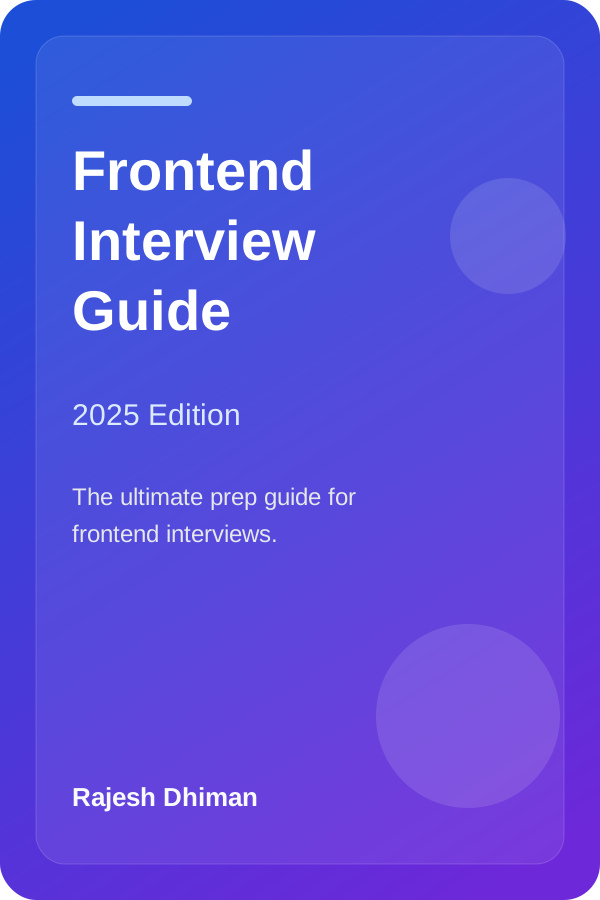
Frontend Interview Guide (2025 Edition)
By Rajesh Dhiman
Comprehensive preparation covering React internals, Web Performance, CSS architecture, and system design questions.

JavaScript Interview Guide
By Rajesh Dhiman
Deep dive into the Event Loop, microtask draining, closures, prototypal inheritance, and asynchronous execution patterns.
Note: All lessons on Frontend Interview remain completely free to read online. As an Amazon Associate, we may earn from qualifying purchases.
Written by Rajesh Dhiman
Authored by Rajesh Dhiman and engineered at Eunix Tech. Focused on deep-dive frontend engineering, JavaScript runtime internals, React architecture, and web performance.